

AGENTS
Create intelligent, autonomous AI assistants that go beyond simple chatbots. Each agent reasons through complex tasks step by step — planning, executing, observing, and iterating — all on autopilot.
Get Started Contact SalesAgents don't just respond — they think. Using a built-in state machine, each agent plans its approach, takes action, evaluates results, and iterates until the task is complete.
Each agent plans its approach, takes action, evaluates results, and iterates until the task is complete. No manual intervention needed.
Connect Slack, email, CRM platforms, databases, cloud storage, web scraping, and more. Your agent picks the right tool at the right time.
Run agents on OpenAI GPT-4o, Anthropic Claude, Google Gemini, or route between models dynamically. Swap models anytime.
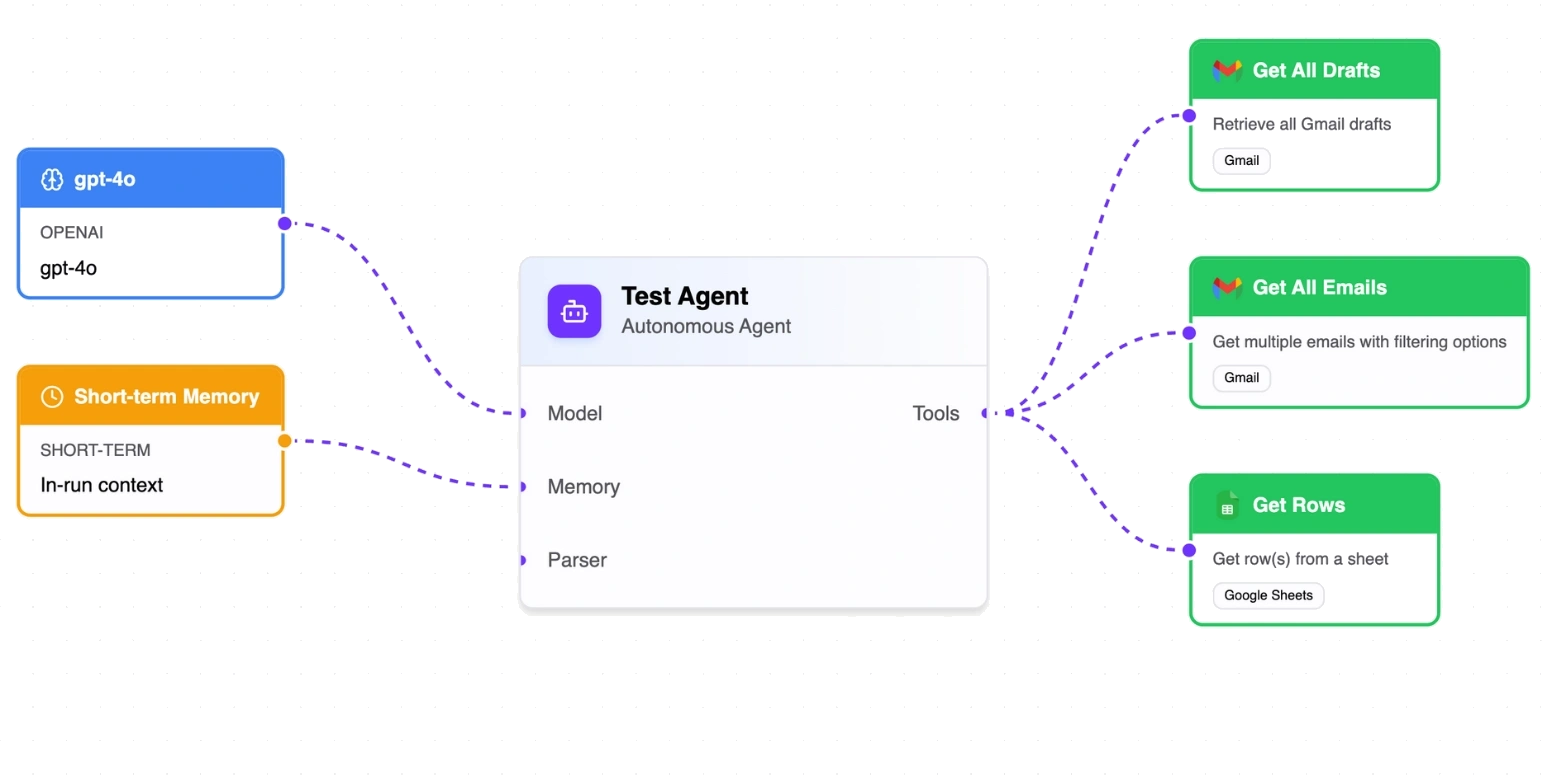
From configuration to scale — four simple steps to autonomous AI agents.
Set your agent's AI model, system prompt, and available tools.
Send a task via API. The agent reasons through it autonomously.
Stream progress in real time or fetch results when complete.
Run multiple agents concurrently with async execution.
User isolation — Agents and data are scoped per account
Budget enforcement — Prevent runaway costs with configurable limits
Connection security — Tools authenticate via stored, encrypted credentials
Error recovery — Automatic retry logic with graceful fallback
Join thousands of businesses that trust puq.ai to streamline their operations and boost productivity.
Get Started