

Workflow Version History

VERSION HISTORY

Track every change. Roll back to any version.

Workflow Versioning records every change you make to your automation workflows and lets you safely revert to previous versions whenever you need. No more worrying about "did I break something?"

Get Started Contact Sales

What Can You Do?

Full version control for your automation workflows — view, compare, branch, and roll back with confidence.

VISUAL

Visual Version Tree

View all your versions in a hierarchical tree structure. See which version was derived from which and identify the current active version at a glance.

BRANCHING

Version Branching

Create a new branch from any existing version. Experiment with different approaches, publish the one that works. Your original version always stays safe.

COMPARISON

Change Comparison

See detailed differences between any two versions. Which steps were added, removed, or modified — a full node-by-node and connection-by-connection comparison.
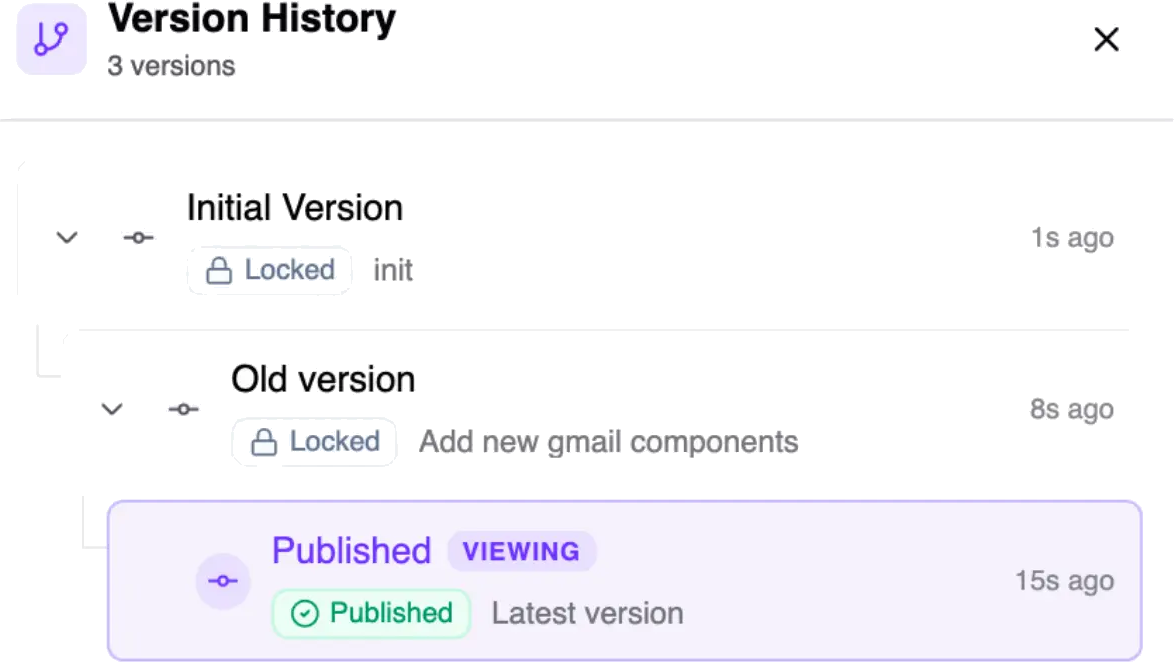
Version History

POWERFUL VERSION MANAGEMENT

Git-like version control through a visual interface — no coding required.

  • Commit Messages: Add descriptive notes to each version so your team knows why a change was made
  • Quick Version Switching: Switch between versions with a single click — the URL updates automatically for easy sharing
  • Change Timeline: Track the creation and update history of every version chronologically
  • Safe Deletion: Delete a single version or an entire branch with confirmation to prevent accidents
  • Version Renaming: Give your versions meaningful names like "v2.1 - Added email notifications"
Try It Free

Version States

Every version has a clear state so you always know what's active, what's safe, and what's in progress.

Draft

The version you're actively working on. Make changes freely without affecting production.

Locked

A protected, read-only historical version. Preserved as a reliable snapshot you can always return to.

Published

The version currently running in production. Your live workflow that handles real data and triggers.

Why It Matters

As automation workflows grow in complexity, keeping track of changes becomes harder. A single modification can produce unexpected results. With Workflow Version History:

Instantly roll back to the last working version when something goes wrong

Safely experiment with different approaches

Transparently track all changes across your team

Develop in the background while keeping the live version protected

Version Control
Git-like Power, Visual Interface

Questions & Answers

puq.ai is a powerful workflow automation platform that helps you connect apps and automate repetitive tasks without coding.
puq.ai uses a visual workflow builder where you can add actions to create automated workflows between your favorite apps and services.
puq.ai supports 500+ popular apps and services including Slack, Gmail, Google Sheets, Trello, Shopify, and many more.
Yes, puq.ai uses enterprise-grade security with encrypted connections and follows industry best practices for data protection.
No coding required! puq.ai is designed to be user-friendly with a visual interface that anyone can use.
Yes, you can schedule workflows to run at specific times, intervals, or based on triggers from your connected apps.
Yes, you can start with a free trial to explore puq.ai features and see how it can help automate your workflows.
We offer comprehensive support through documentation, tutorials, and our customer support team to help you succeed.

Ready to Automate Your Workflows?

Join thousands of businesses that trust puq.ai to streamline their operations and boost productivity.

Get Started