
Free usage is now available on puq.ai
Integrations Templates Blog Pricing

AI Copilot

Turn automation ideas into workflow drafts faster

Describe the process you want to automate and let Copilot create a practical starting point. Your team stays in control while AI handles the first pass.

Core Capabilities

What this feature helps your team do

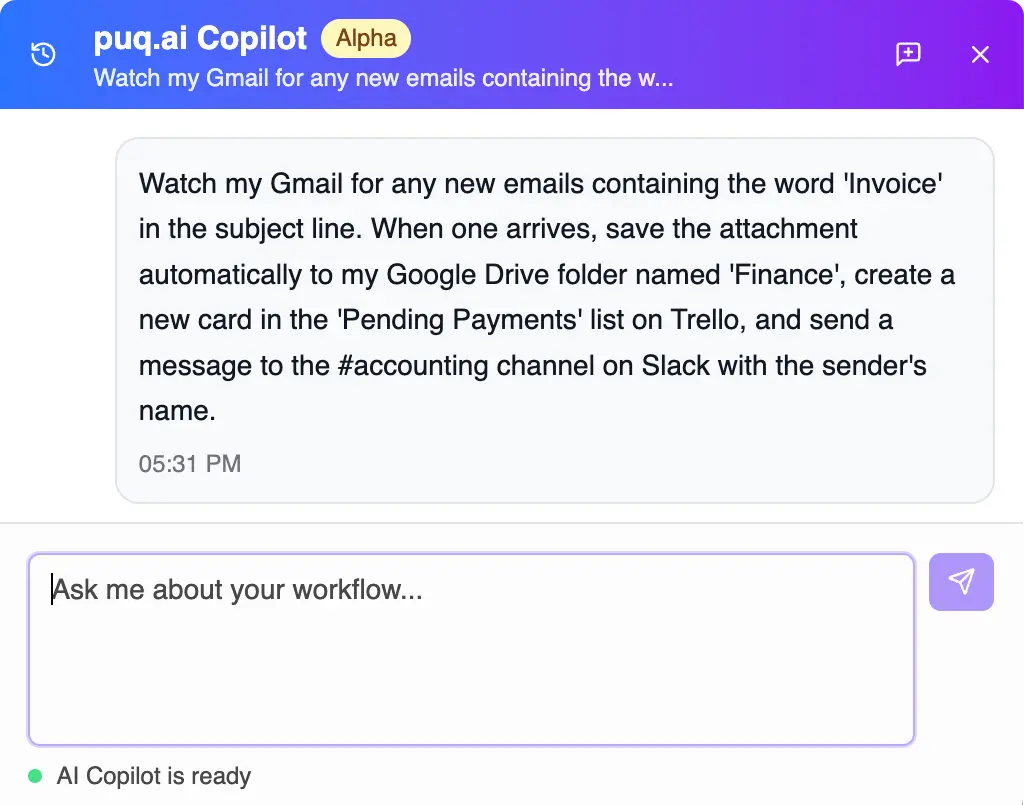
Prompt

Start from plain language

Describe the goal, tools, and rules in everyday language.

Draft

Generate workflow structure

Create a workflow draft with suggested triggers, steps, and branches.

Edit

Refine before launch

Review, adjust, test, and publish only when the workflow is ready.

Copilot automation assistant

AI-assisted building

Reduce the blank-canvas problem

Copilot helps teams move from process notes to an editable workflow quickly, then keeps humans in charge of review and publishing.

  • Prompt-to-workflow drafting
  • Suggested app actions
  • Editable branches and steps
  • Human review before publishing

How It Works

A practical path from setup to production

1

Describe the process

Explain what should happen and which tools are involved.

2

Review the draft

Copilot proposes workflow steps and logic.

3

Adjust details

Tune fields, conditions, credentials, and notifications.

4

Test and publish

Validate the workflow before it runs for real.

Common Use Cases

Where teams use AI Copilot

First drafts for new automations Process discovery workshops Template customization Operational workflow prototyping

AI Copilot questions

Clear answers about how this capability fits into real workflow automation.

No. Copilot helps create drafts. Your team can review, edit, test, and decide when to publish.
Yes. Generated workflows are normal workflows that can be changed in the visual builder.
Include the business goal, trigger, tools involved, conditions, and expected output.
No. It is useful for simple drafts and more complex workflows, especially when you want a structured starting point.
Automate Every Job

Ready to automate?